GCC Azure Only: Integration Step 2 – Add Azure Permissions

16th August 2021 | Platform GCC Azure Only: Integration Step 2 – Add Azure Permissions

Please note: Only Azure AD Government Community Cloud (GCC) environments need to follow these instructions.
If you wish to watch our walkthrough video instead of reading through each step, click play below.

HINT: If you can’t find something in Azure, you can always use the search bar at the top of your screen to find what you’re looking for.

1) Login at https://portal.azure.com

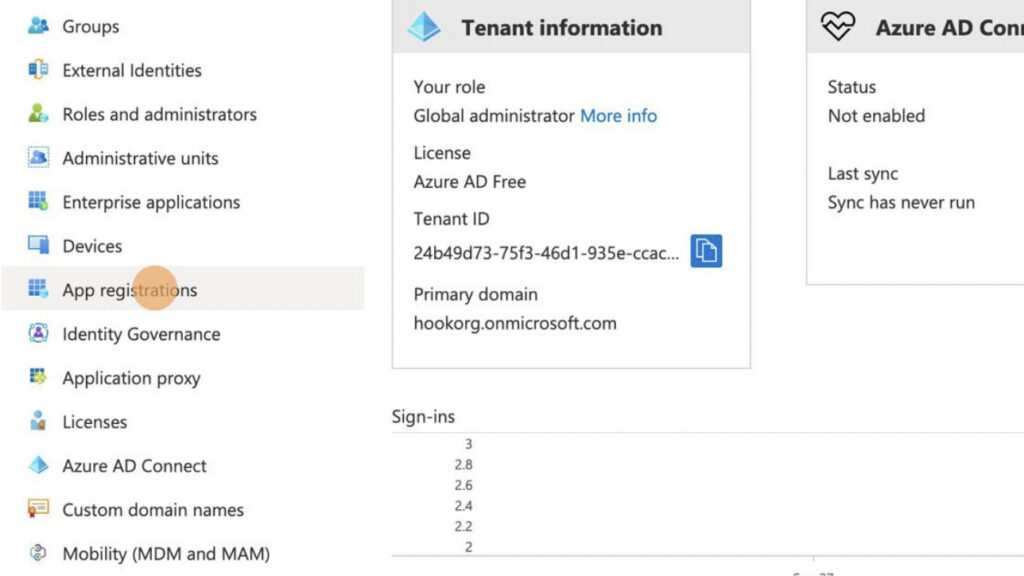
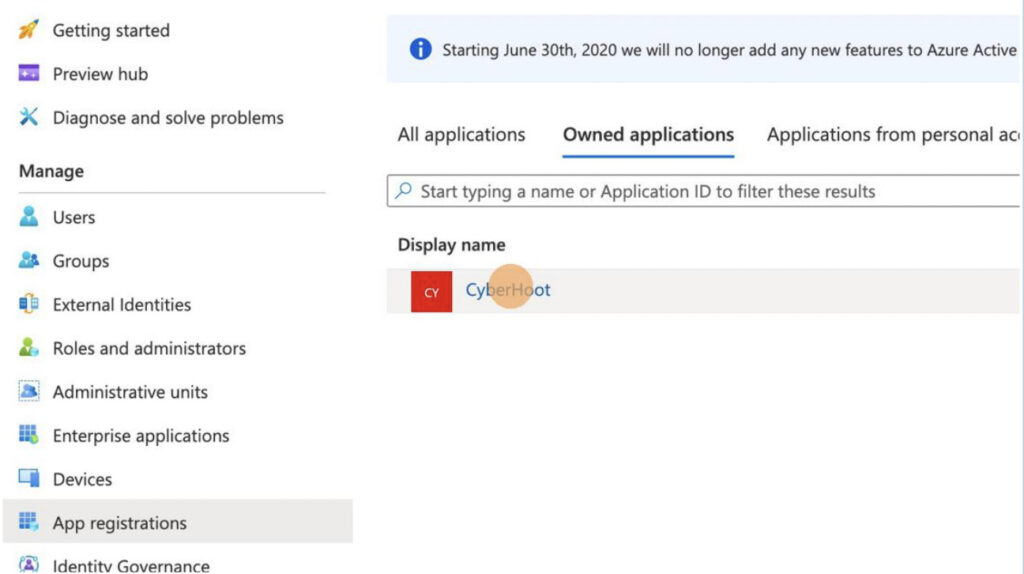
2) Click “App registrations”

3) Click “CyberHoot” under “Owned applications”

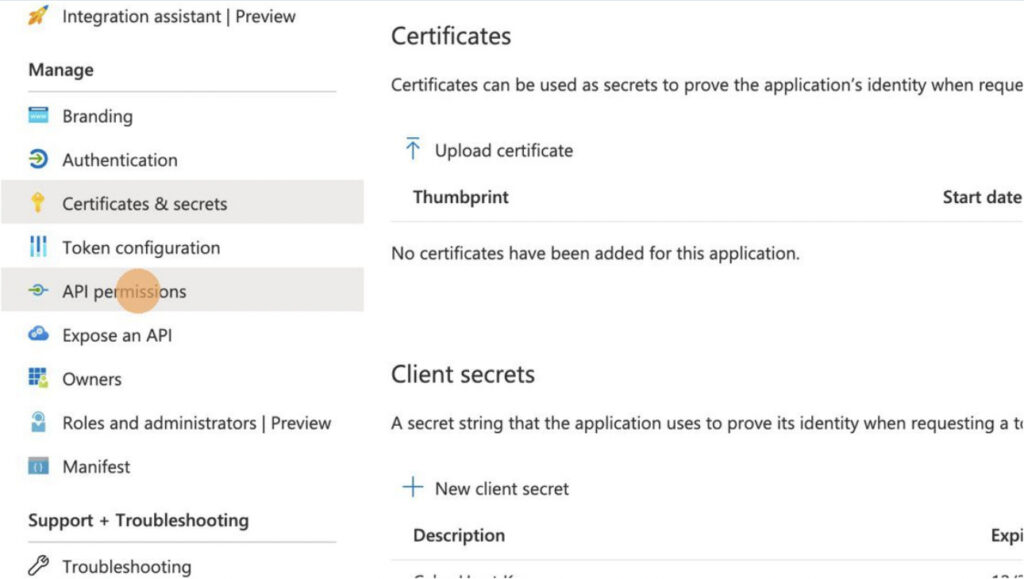
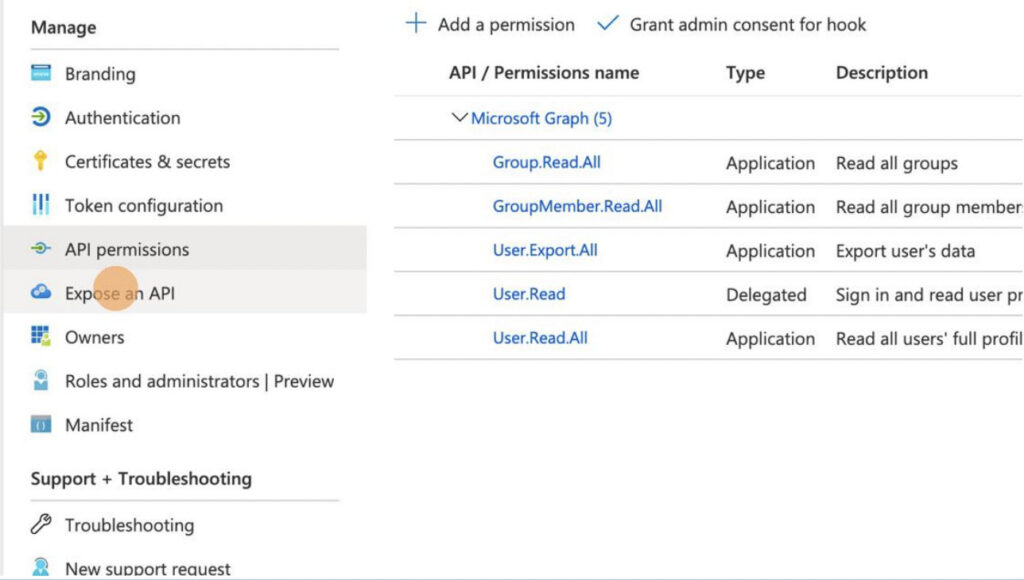
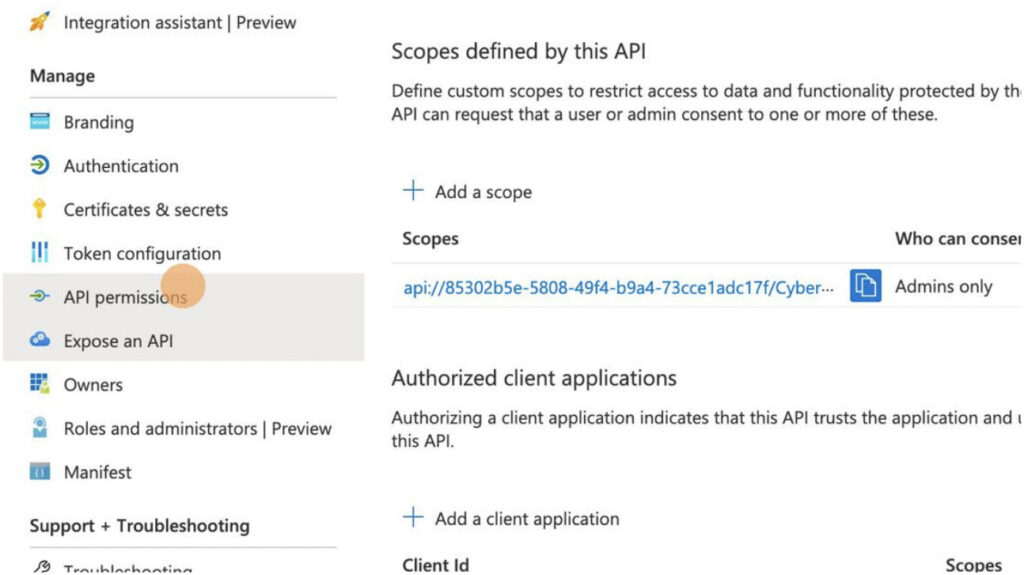
4) Click “API Permissions”

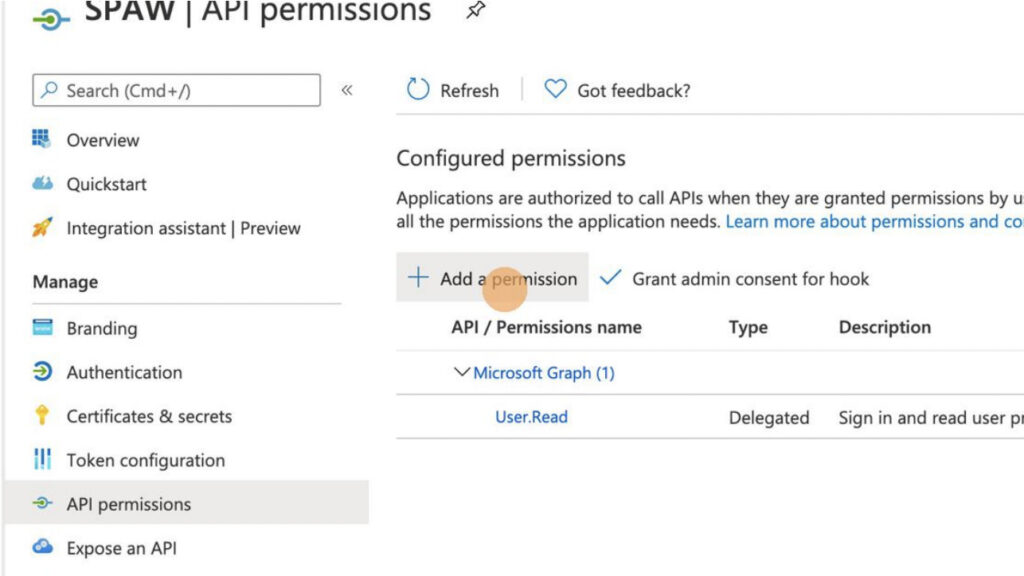
5) Click “+Add a permission”

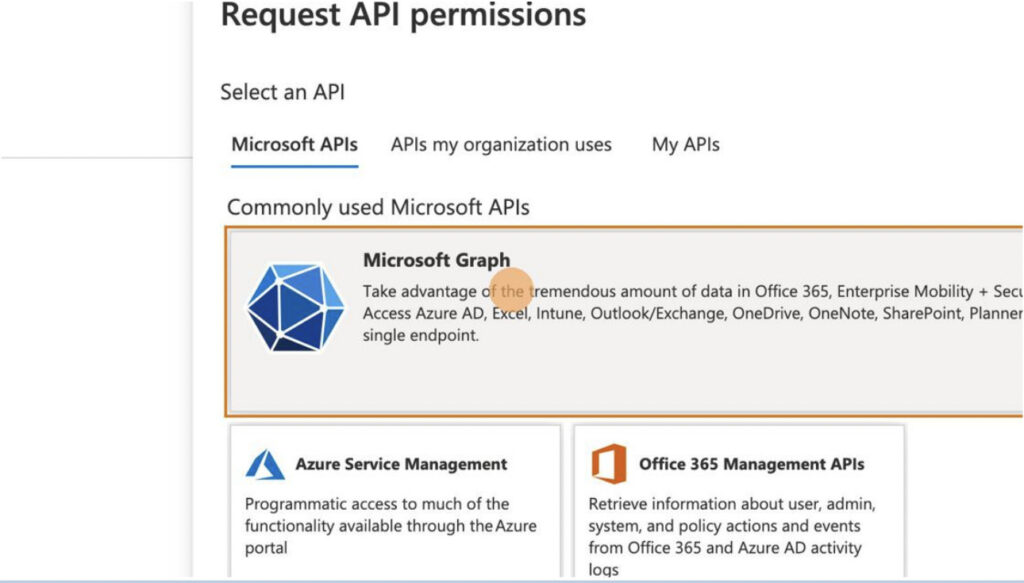
6) Click “Microsoft Graph”

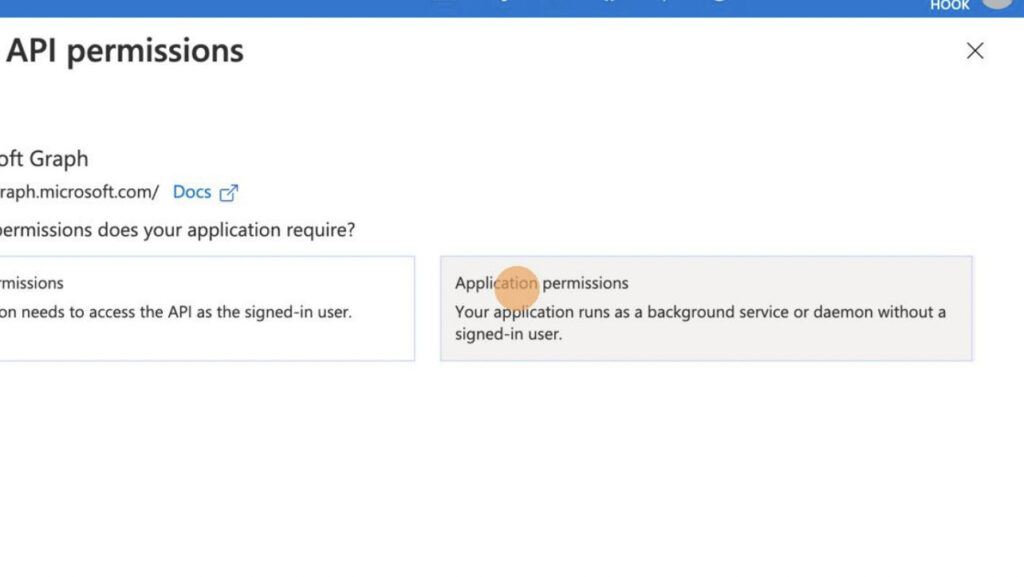
7) Click “Application Permissions”

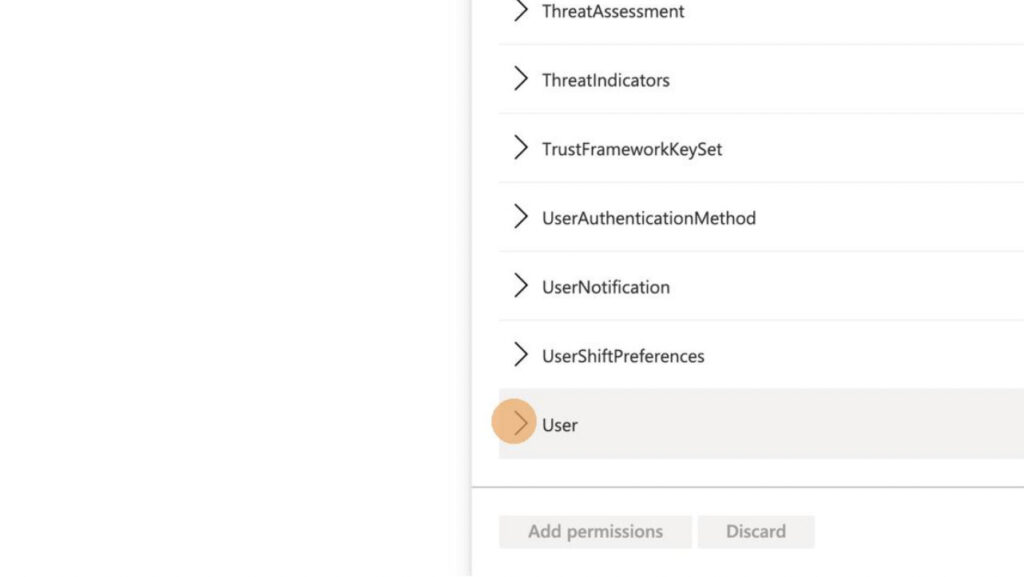
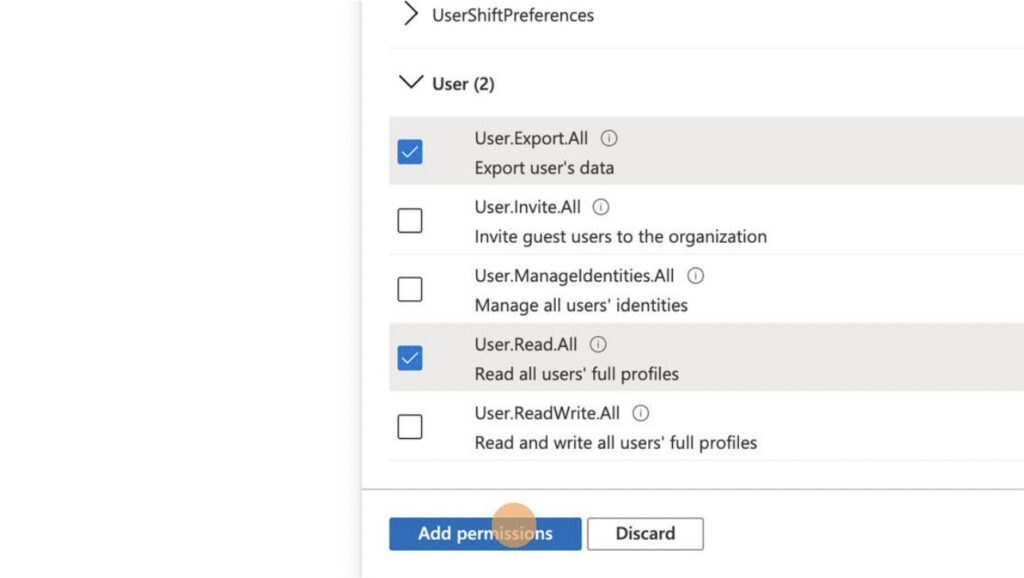
8) Expand the “User” Permissions

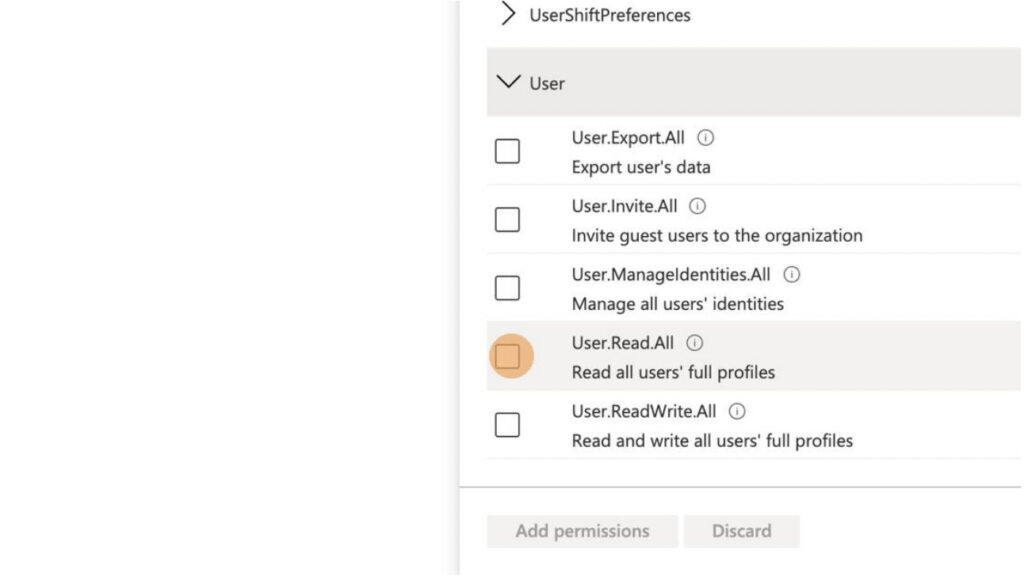
9) Select “User.Read.All”

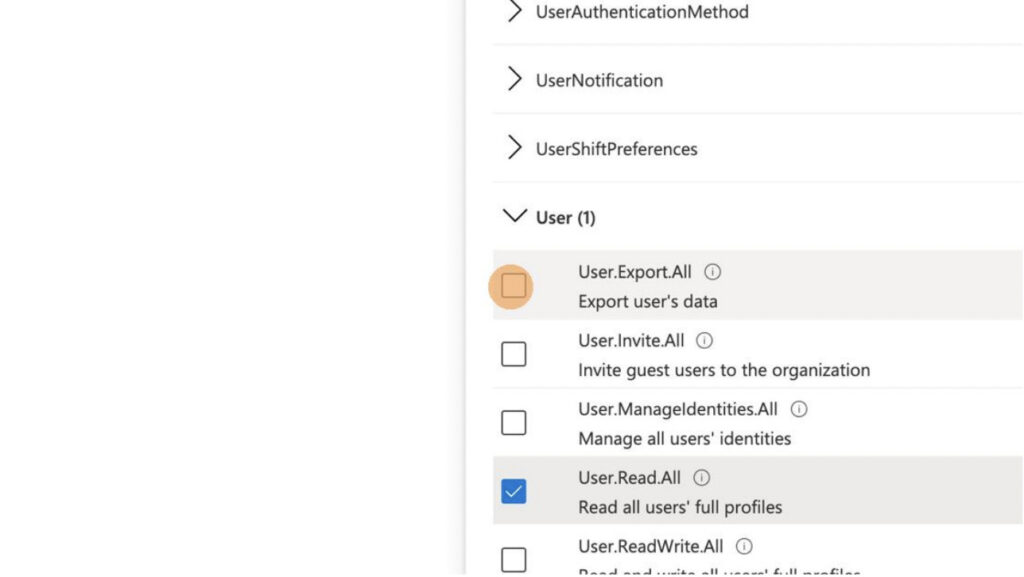
10) Select “User.Export.All”

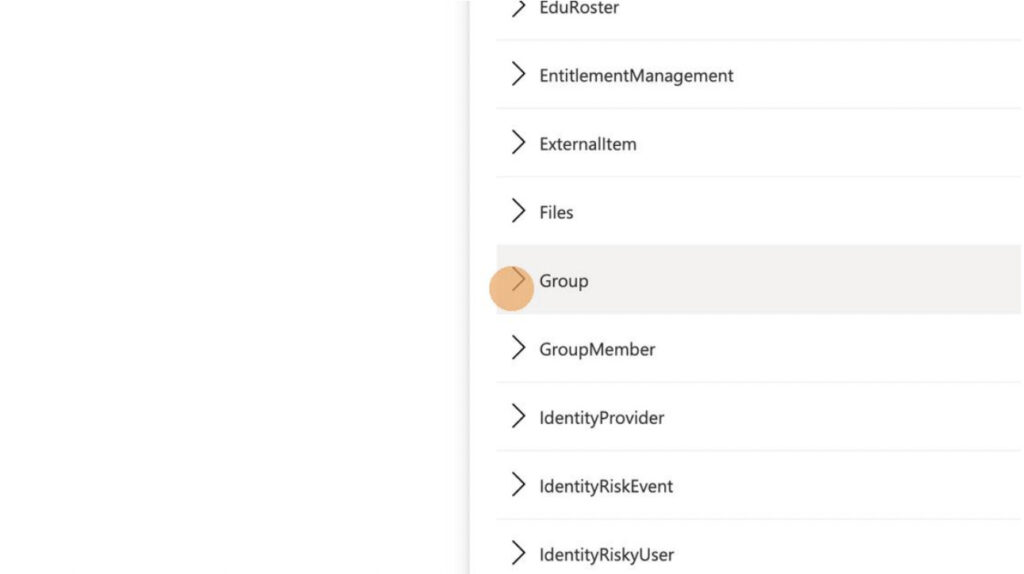
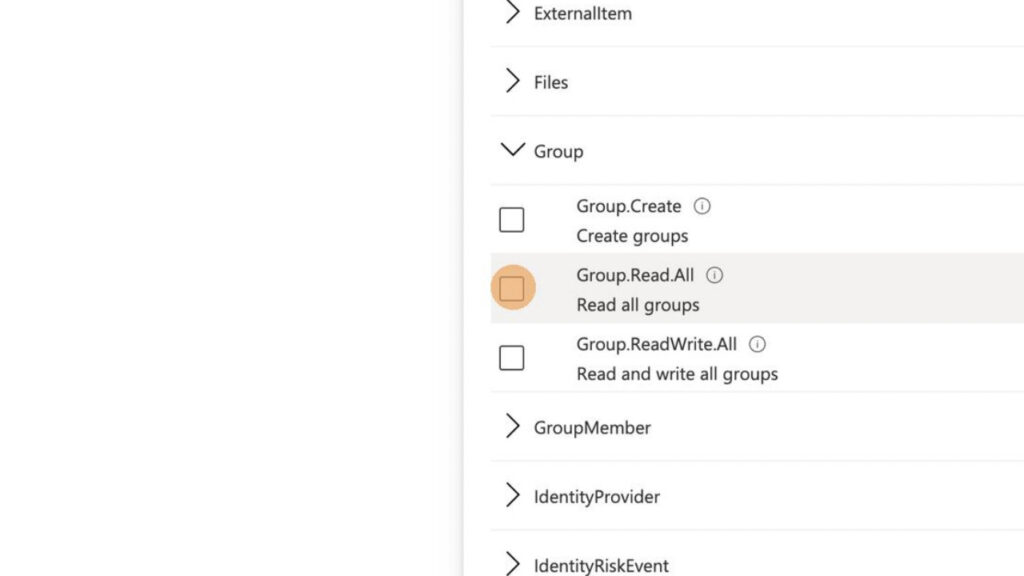
11) Expand “Group” Permissions

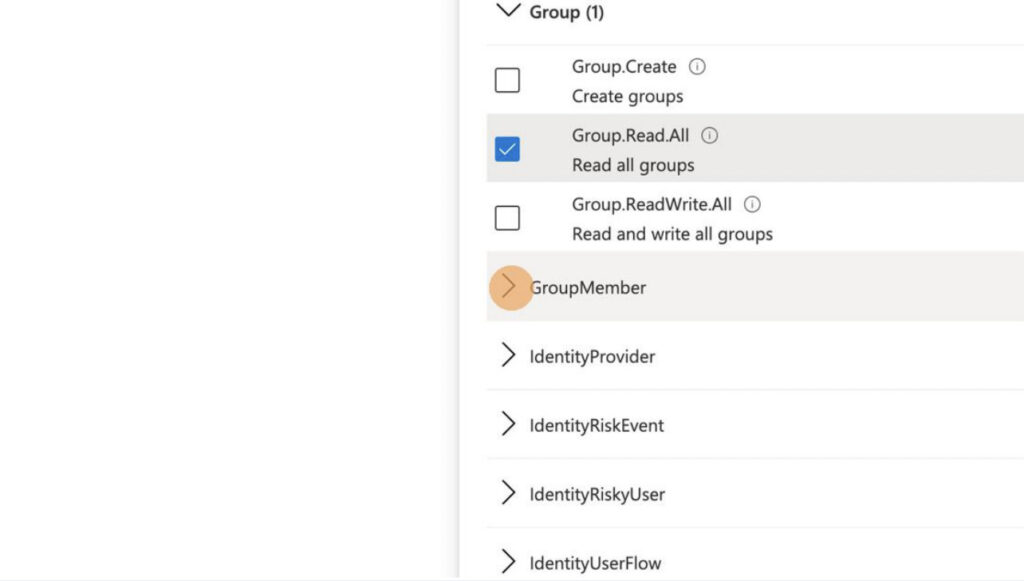
12) Select “Group.Read.All”

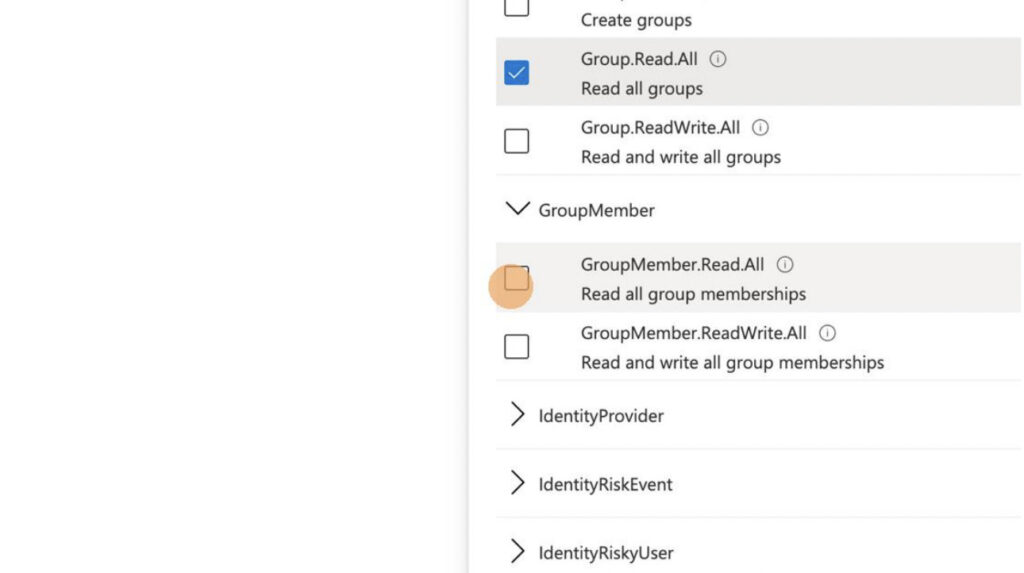
13) Expand “GroupMember” Permissions

14) Select “GroupMember.Read.All”

15) Click “Add permissions”

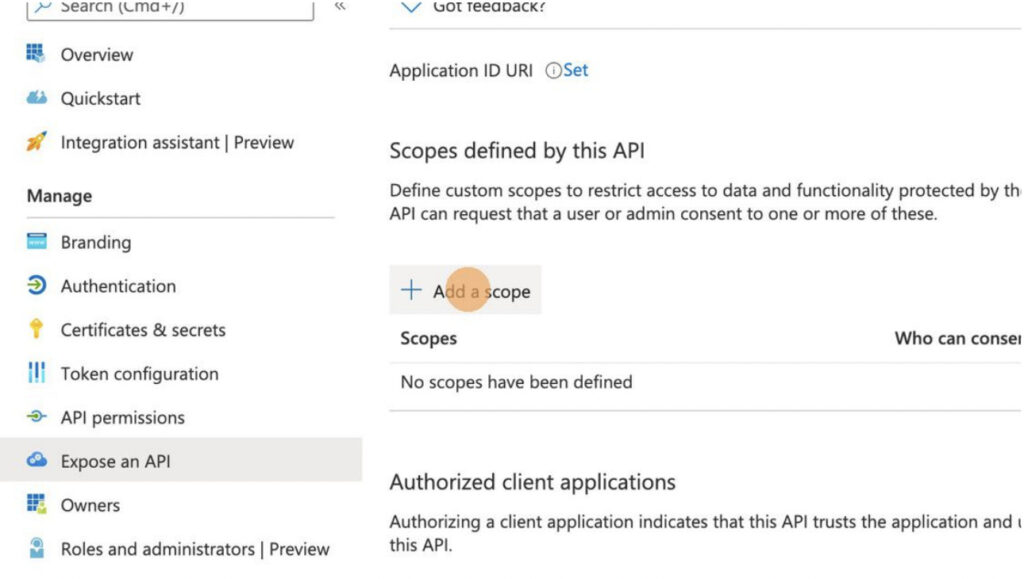
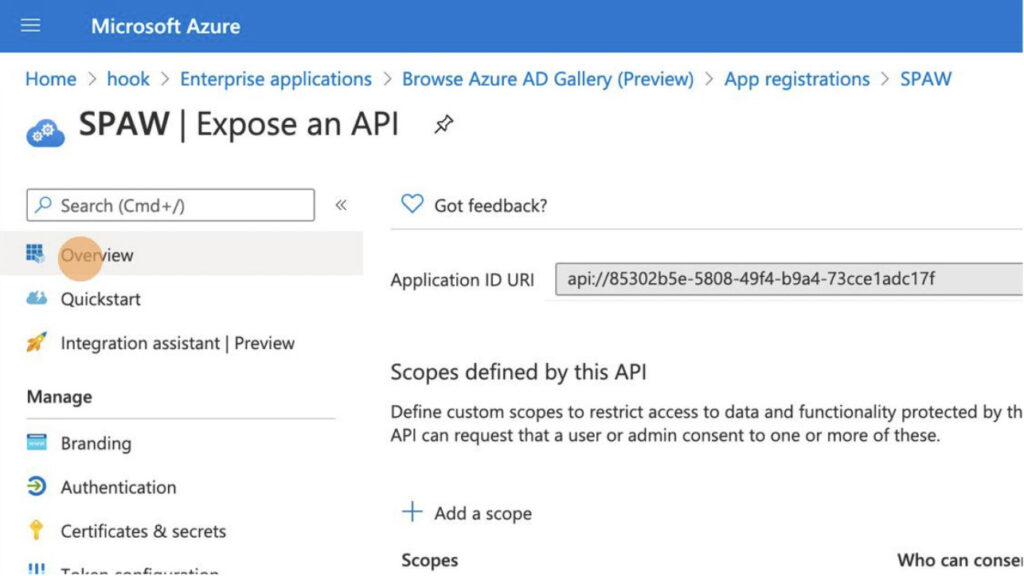
16) Click “Expose an API”

17) Click “+ Add a scope”

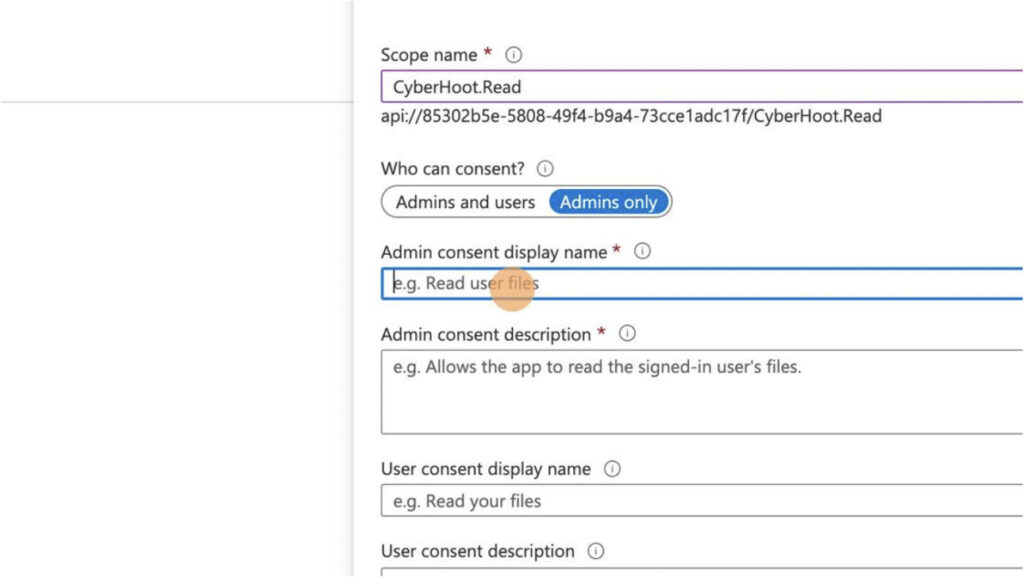
18) Type “CyberHoot.Read” as the “Scope name”

19) Click the “Admin consent display name” field

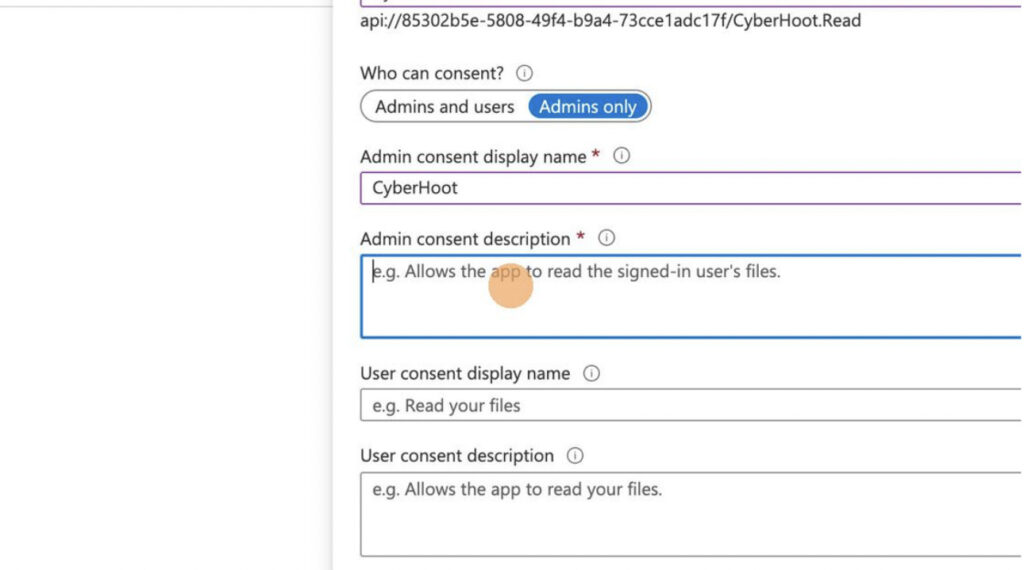
20) Type “CyberHoot” as the “Admin consent display name”

21) Click the “Admin consent description” field.

22) Type “Allow CyberHoot Read access” in the “Admin consent description”

23) Click “Add scope” at the bottom of the window

24) Click “Overview”

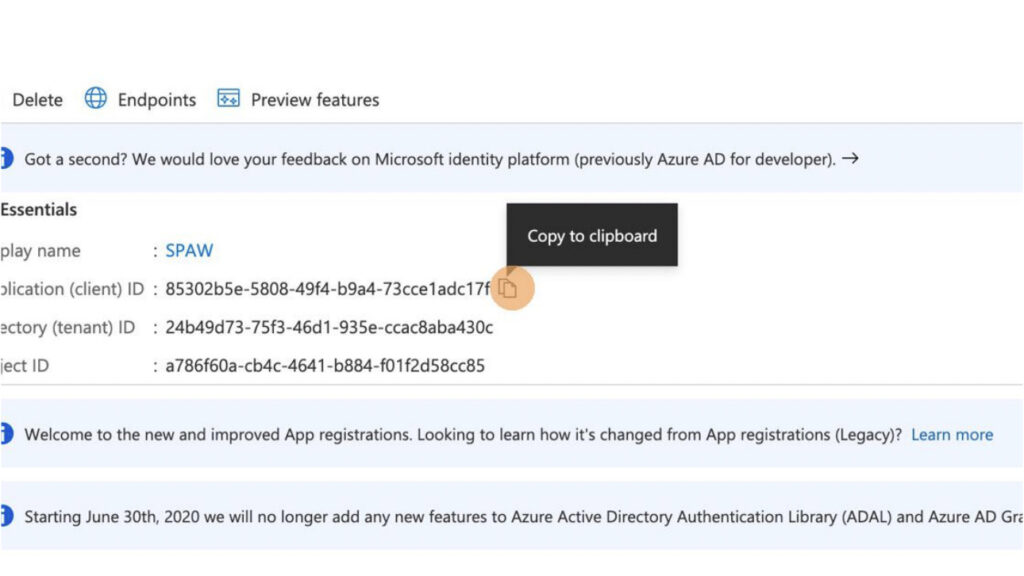
25) Click this icon to copy the “Client ID” to your clipboard.

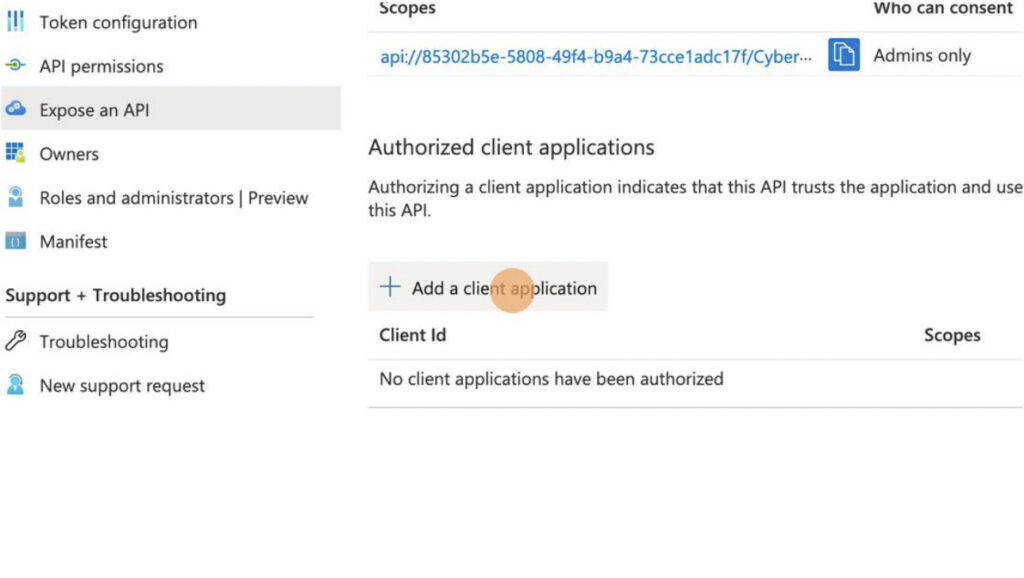
26) Click “Expose an API” and then click “+ Add a client application”

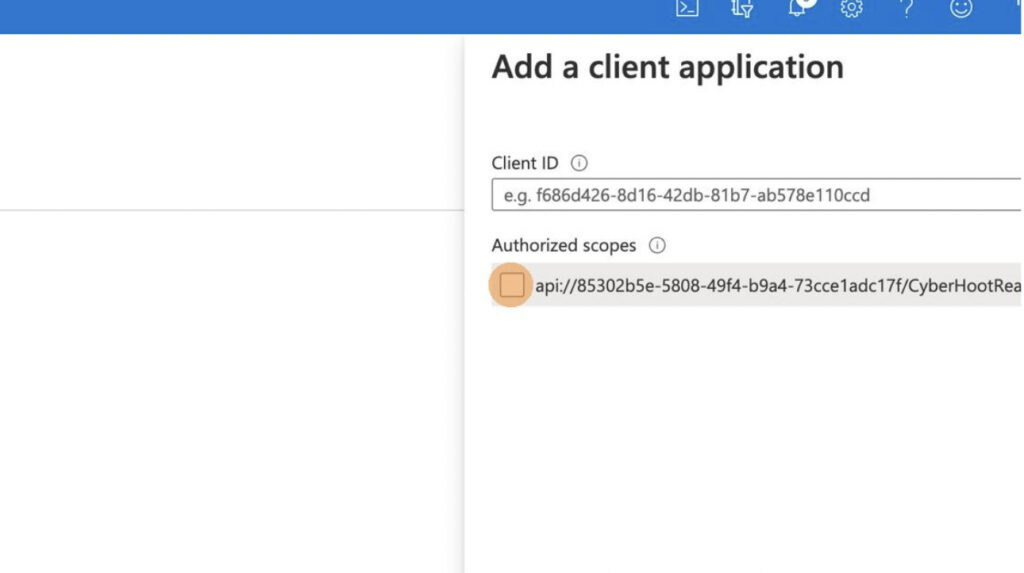
27) Enter the “Client ID” of the registered application and select the scope
you just created to authorize. It should be saved in your clipboard.

28) Click “Add application” at the bottom of the window

29) Click “API permissions”

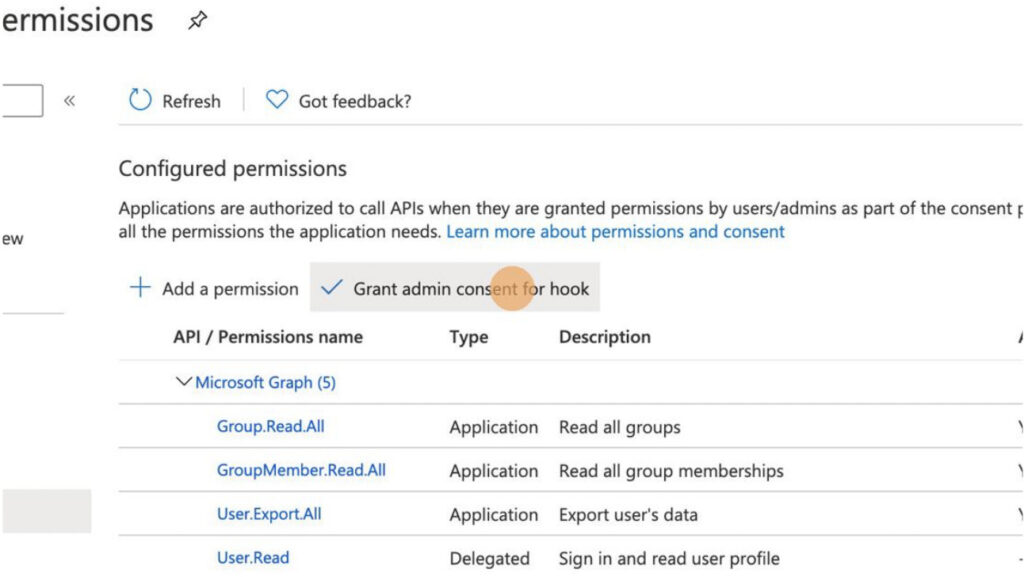
30) Click “Grant admin consent for…” your domain.

31) Click “Yes” to grant access.

32) Click Here to head to Step Three

For more instructional ‘HowTo’ videos, head over to our HowTo Library for more guidance. If you’re unsure where to start, review the following recommended videos and articles around common Administrator (or SuperAdministrator) pain points: 

Latest Blogs

Stay sharp with the latest security insights

Discover and share the latest cybersecurity trends, tips and best practices – alongside new threats to watch out for.

Cybersecurity Leader Uploads Sensitive Files to AI

Cybersecurity Leader Uploads Sensitive Files to AI

Not surprising when Trouble Ensues Last summer, the interim head of a major U.S. cybersecurity agency uploaded...

Read more
Common Google Workspace Security Gaps

Common Google Workspace Security Gaps

And How to Fix Them Let me make an educated guess. You moved to Google Workspace because it was supposed to...

Read more
MongoBleed: Why 87,000 Databases Had Their Front Doors Wide Open (And How to Close Yours)

MongoBleed: Why 87,000 Databases Had Their Front Doors Wide Open (And How to Close Yours)

Remember Heartbleed? That security nightmare from a few years back that made everyone panic about their...

Read more