GCC Azure AD Only: Integration Step 3 – Create Client Secret

16th August 2021 | Platform GCC Azure AD Only: Integration Step 3 – Create Client Secret

Please note: Only Azure AD Government Community Cloud (GCC) environments need to follow these instructions.
If you wish to watch our walkthrough video instead of reading through each step, click play below.

HINT: If you can’t find something in Azure, you can always use the search bar at the top of your screen to find what you’re looking for.

1) Login at https://portal.azure.com

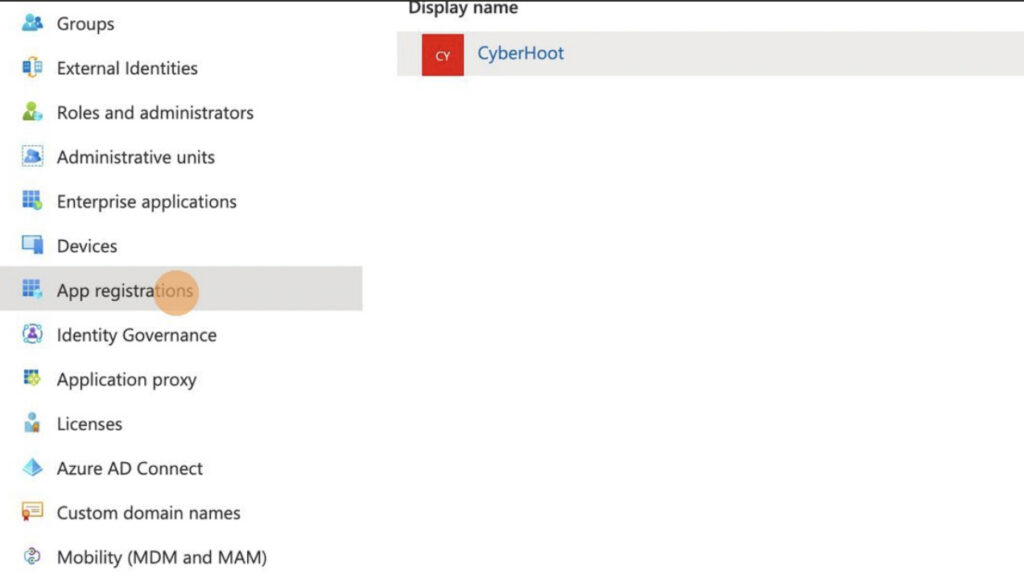
2) Click “App registrations”

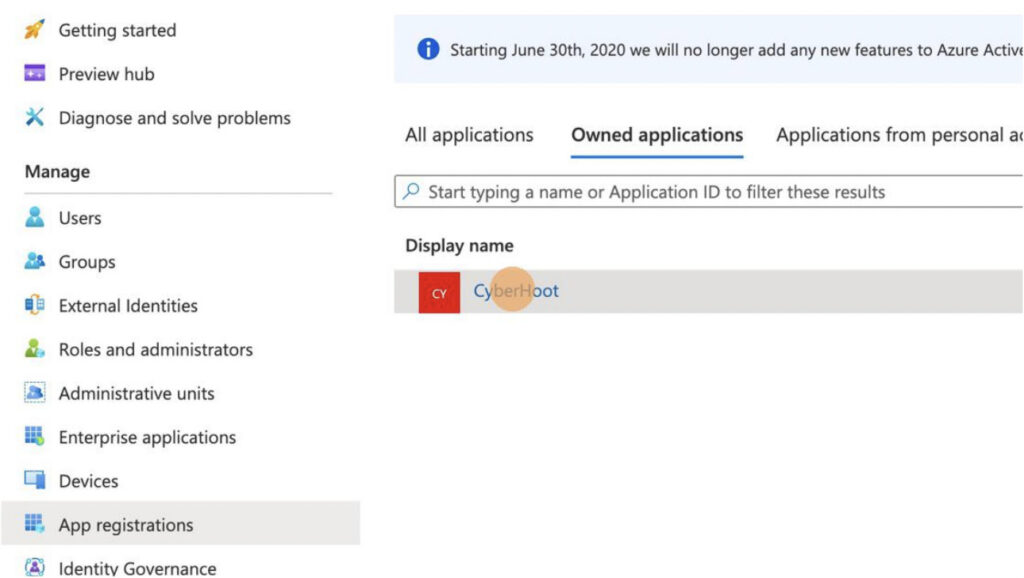
3) Click “CyberHoot”

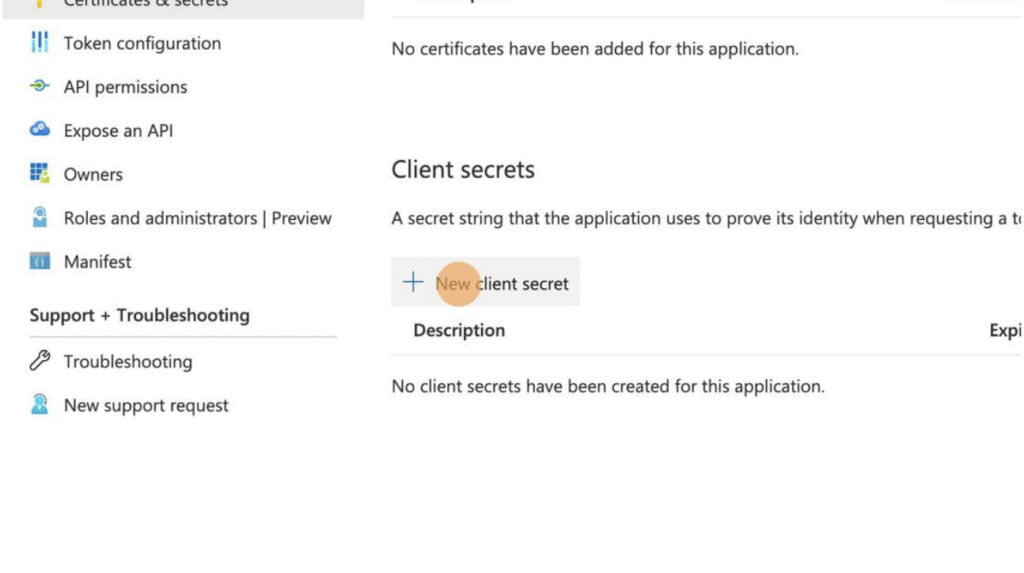
4) Click “Certificates & secrets” and then click “+ New client secret”

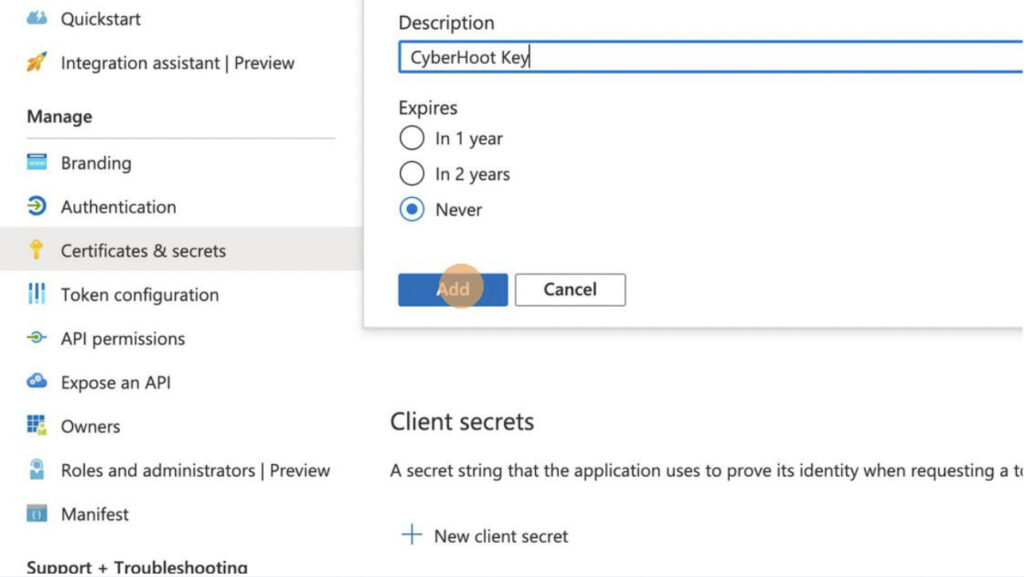
5) Type “CyberHoot Key” as description, set the key to “Never” expire and click
“Add” – If ‘Never’ isn’t available, use “24 months”

6) Click “Add”

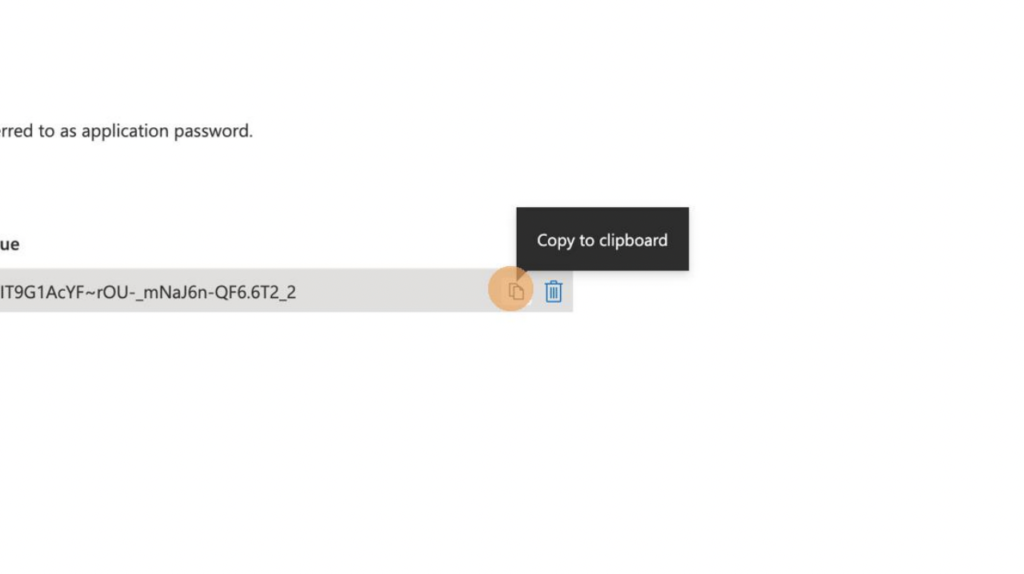
7) Copy the secret VALUE. You won’t be able to see this value again if you leave
the page.

8) Enter the “Tenant ID”, “Client ID”, and “Client Secret” in the CyberHoot
interface under Admin -> Customer Settings -> Azure AD

9) Under “Azure Groups”, enter the exact name of a group in Azure that holds all of the users you wish to add to CyberHoot

10) Make sure you click “Update” first, then click “Sync Now”

For more instructional ‘HowTo’ videos, head over to our HowTo Library for more guidance. If you’re unsure where to start, review the following recommended videos and articles around common Administrator (or SuperAdministrator) pain points: 

Latest Blogs

Stay sharp with the latest security insights

Discover and share the latest cybersecurity trends, tips and best practices – alongside new threats to watch out for.

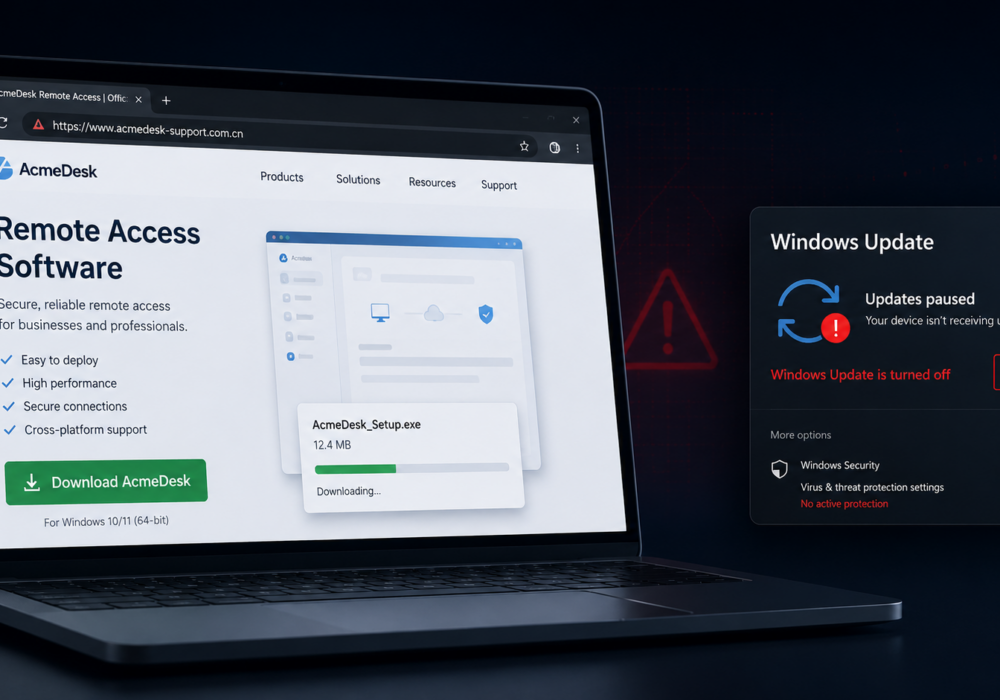
AI Poisoning: Fake Support Scam — AI Search as the New Attack Surface

AI Poisoning: Fake Support Scam — AI Search as the New Attack Surface

Cybercriminals always follow Internet eyeballs. Not literally, but figuratively. And today's eyeballs are...

Read more
CISA Details an Emerging Mobile Spyware Alert

CISA Details an Emerging Mobile Spyware Alert

Active Attacks on Messaging Apps The Cybersecurity and Infrastructure Security Agency (CISA) recently issued...

Read more
Zero Trust RPAM: The Future of Secure Remote Access

Zero Trust RPAM: The Future of Secure Remote Access

The world of work has changed enormously since COVID-19. Gone are the days when IT admins sat behind a corporate...

Read more