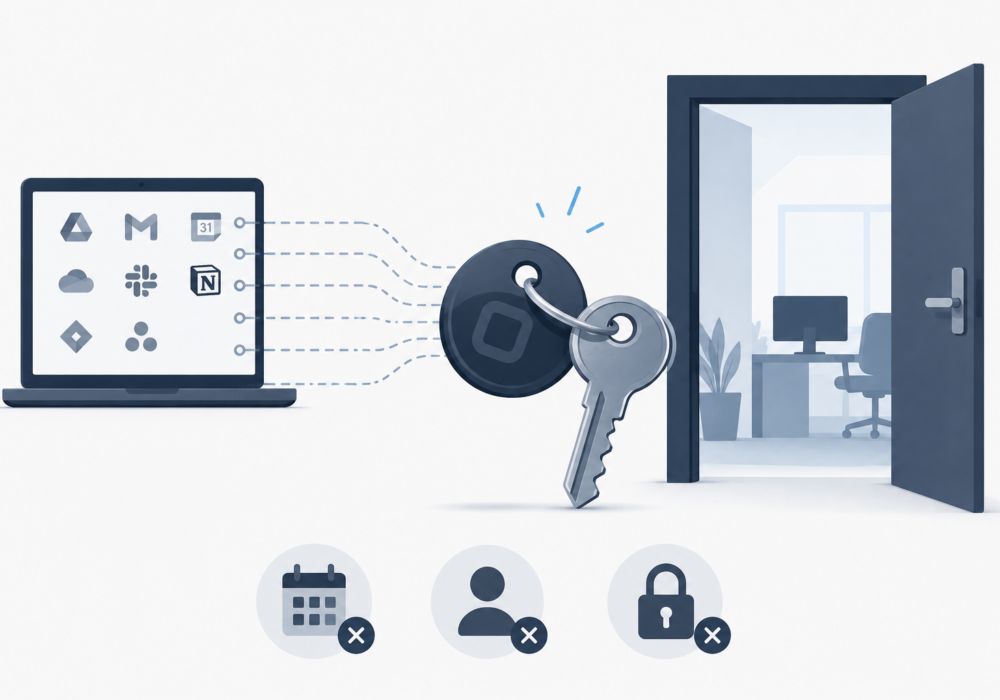
OAuth tokens don’t expire when employees leave, passwords change, or apps go rogue. Your security program needs to understand this risk and remove unneeded and abandoned entitlements asap.
Picture a spare key. You handed it to a contractor six months ago so they could fix your HVAC. The job is done. The contractor moved on. But the key still works, and you never asked for it back. That is more or less what happens every time someone at your company connects a third-party app to Google Workspace or Microsoft 365 using OAuth. Digital keys are created by your employees. They don’t expire, and in most organizations, nobody is tracking them, reviewing them, or removing them when no longer needed!
OAuth is the system behind those “Connect with Google” and “Allow access” buttons your team clicks every day. It lets apps read your calendar, send emails on your behalf, or pull data from your cloud storage, all without sharing your actual password. That sounds great. The catch is that the access token it creates sticks around long after you’ve forgotten the app exists. It doesn’t get canceled when an employee leaves. It doesn’t reset when someone changes their password. Your multi-factor authentication does nothing to stop an attacker who already holds a valid token.
Research from Material Security found that 80% of security leaders consider unmanaged OAuth grants a critical or significant risk. That number has been high for years. Awareness may not be the main issue here, however, mitigating this threat is.
45% of organizations do nothing to monitor OAuth grants at scale
33% rely on manual tracking like spreadsheets and ad hoc reviews
A spreadsheet telling you which apps have access is not the same as knowing what those apps are doing with that access. One is a list. The other is security. Right now, most teams only have the list.
In 2024 and 2025, a threat actor known as UNC6395 (tracked by Palo Alto Unit 42) used stolen OAuth refresh tokens from Drift, a sales engagement platform, to access the Salesforce environments of over 700 organizations. Drift had legitimate OAuth connections to those Salesforce accounts. The attacker got hold of those tokens, likely through earlier phishing attacks, and walked straight in through the front door.
What Made This Attack So Effective
Nothing looked suspicious. The tokens were valid. The app was trusted. The login never happened because the attacker did not log in at all. They presented an existing token that Drift had already been given permission to use. MFA had no role to play because no password was entered. Once inside, UNC6395 pulled data and searched it for credentials like AWS keys, Snowflake tokens, and passwords. Cloudflare, PagerDuty, and dozens of others were caught up in it.
The takeaway is not that Drift was a bad app. The takeaway is that a trustworthy app at installation can become a risk later if its credentials get stolen. Your security tools need to watch what connected apps are doing over time, not just what permissions they asked for on day one.
Most OAuth security tools do their work at the moment an app is connected. They check whether the permissions requested seem excessive. They flag apps from unknown vendors. That is genuinely useful, and you should be doing it. But it is not enough on its own.
A well-known, trusted app with reasonable permissions would pass those checks easily. If that app’s credentials get stolen six months later, your installation-time review catches nothing. The risk came after the fact.
When OAuth was designed, the typical use case was a small number of IT-approved apps getting limited access to shared calendars. That was a manageable situation. Today, every employee independently connects AI tools, note-taking apps, automation platforms, and productivity add-ons to their work accounts. Each connection creates a token. None of those tokens expire automatically. Most organizations don’t know how many they have.
As AI tools become standard in the workplace, the number of OAuth connections in your environment will grow. Blocking employees from using AI tools entirely is not realistic, and it would not have stopped the Drift attack anyway since that started with a trusted, approved integration.
Start by pulling a list of every OAuth app connected to your Google Workspace or Microsoft 365 environment. Both platforms let admins do this without any third-party tools. Look for apps you don’t recognize, apps connected to accounts of people who have left, and apps with very broad permissions like “read all mail” or “access all files.” Those are your first priorities to review and revoke.
From there, build a habit of reviewing OAuth grants quarterly. It takes less time than you think once you’ve done the initial cleanup, and it keeps the list from getting out of hand again. When employees leave, include OAuth revocation in your offboarding checklist alongside password resets and account deactivation.
Your CyberHoot Action Step
This week, log into your Google Admin Console or Microsoft Entra portal and pull your list of connected third-party apps. Count them. You will probably be surprised. Pick the five that look least familiar and review what they have access to. Revoke any that don’t belong. That single action makes your organization meaningfully safer today. Hoot up!
admin.google.com → Users → [User] → Security → Connected Applications
learn.microsoft.com/en-us/entra/identity/enterprise-apps/manage-application-permissions
Discover and share the latest cybersecurity trends, tips and best practices – alongside new threats to watch out for.
Author: Katie Boquetti | Editorial: Craig Taylor Editorial by Craig Taylor: We've known for a while here...
Read more
Author: Katie Boquetti | Editorial: Craig Taylor Editorial by Craig Taylor: A CAPTCHA should test whether...
Read more
Author: Katie Boquetti | Editorial: Craig Taylor Editorial by Craig Taylor: I'm blessed to have...
Read moreGet sharper eyes on human risks, with the positive approach that beats traditional phish testing.

