

Blog > Page 5

Platform


Your subscription could not be saved. Please try again.
Subscription Successful! You are now subscribed to our newsletter!
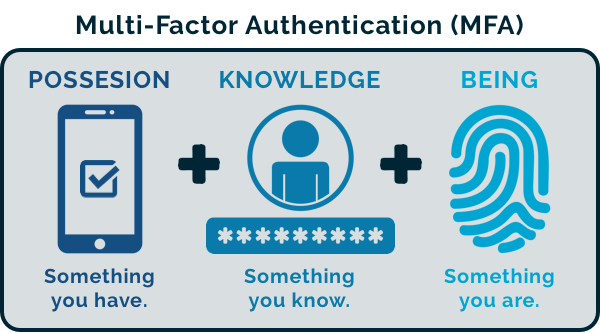
HowTo: Enable Multifactor Authentication within CyberHoot

HowTo: Enable Multifactor Authentication within CyberHoot

The Importance of Multi-Factor Authentication (MFA) into Cloud/SaaS Applications: CyberHoot recommends clients...

Read more
HowTo: Enable Automatic Mode in CyberHoot’s Power Platform.

HowTo: Enable Automatic Mode in CyberHoot’s Power Platform.

CyberHoot Power Platform: Automatic Type Customers The instructions below provide a walkthrough on how to add a...

Read more
Allow-Listing in ProofPoint (aka: safe-listing, white-listing)

Allow-Listing in ProofPoint (aka: safe-listing, white-listing)

If you're using Proofpoint's spam filtering software, you can safelist (whitelist) CyberHoot to allow your users...

Read more
Autopilot Platform Administration Overview

Autopilot Platform Administration Overview

Welcome to the CyberHoot Autopilot Platform: A Guided Tour for New Administrators Starting with a new platform can...

Read more
Power Platform Administration Overview

Power Platform Administration Overview

Welcome to the CyberHoot Power Platform: A Guided Tour for New Administrators Starting with a new platform can...

Read more
HowTo: How to Add Users via M365 (Entra ID) on Power Platform

HowTo: How to Add Users via M365 (Entra ID) on Power Platform

Adding users to CyberHoot's Power Platform via Azure AD/ Entra ID Sync (using Graph API) If your company uses...

Read more
HowTo: Add a New Client to CyberHoot’s Power Platform

HowTo: Add a New Client to CyberHoot’s Power Platform

This video was created specifically for MSPs with Super Admin access to CyberHoot's Power Platform and its...

Read more
HowTo: Reauthorize Entra ID – Client Secret

HowTo: Reauthorize Entra ID – Client Secret

The Entra ID sync is not functioning because the provided client secret has expired. To resolve this, you will...

Read more
HowTo: Allow-List by X-Header in Exchange 2013, 2016, or Microsoft 365

HowTo: Allow-List by X-Header in Exchange 2013, 2016, or Microsoft 365

Allow-Listing X-Headers is necessary in order for CyberHoot to send simulated phishing emails to bypass your...

Read more
HowTo: Complete an Assignment-based Phishing Test

HowTo: Complete an Assignment-based Phishing Test

This video provides end users with a quick overview in 2 min. of their Phishing Test by Assignment service.  End...

Read more
GCC Azure Only: Integration Step 1 – Add Enterprise Application

GCC Azure Only: Integration Step 1 – Add Enterprise Application

Please note: Only Azure AD Government Community Cloud (GCC) environments need to follow these...

Read more
GCC Azure Only: Integration Step 2 – Add Azure Permissions

GCC Azure Only: Integration Step 2 – Add Azure Permissions

Please note: Only Azure AD Government Community Cloud (GCC) environments need to follow these...

Read more
Testimonials

See who's talking about Cyberhoot

"Easy to implement and get immediate results. Through CyberHoot, I can single-handedly support a company with 500 people in training and policy governance with a minimum of effort. More employees now send me phishing emails they receive, stating 'this is..."
Tim Hurman, Single Digits, System Administrator
"Craig and the CyberHoot team are great business partners! They are always open to enhancing their product, and ready to help my team with any deployment questions they may have. I am also an end user of the CyberHoot security..."
Marisa Zelfond, TekDoc, Director of Sales & Account Management
"CyberHoot is a great option for Cybersecurity for our schools. The videos and other training are very user-friendly. Their support is fantastic as well."
Robyn Dunlap, Franklin Schools, Director of Technology

"CyberHoot is an excellent cybersecurity training platform that educates teams on security practices through training content, phishing simulations, and actionable analytics."
Tim Ward, Goodwill of Chattanooga, Director, Information Technology
"CyberHoot lets us access expert cybersecurity guidance without hiring a full-time specialist."
Chris McKay, LMRPA, Vice President, Partner