When Phish testing environments where Sophos EDR is present, you will need to enable allow listing and add the CyberHoot addresses. Otherwise the Website Management defenses will intercept any attempt to click on a link taking you to a nefarious phish testing website.
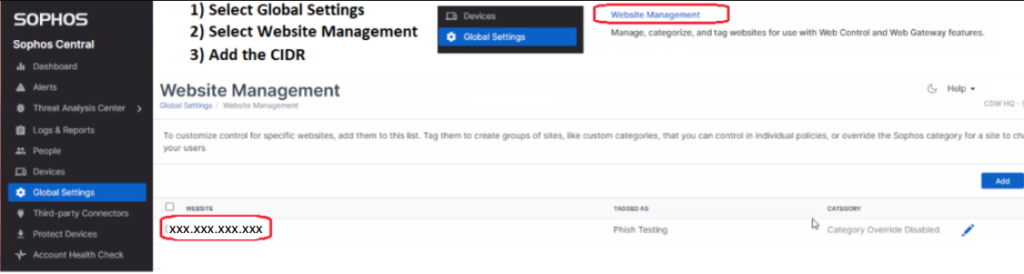
There are three steps to accomplish this as shown in the graphic above.
Discover and share the latest cybersecurity trends, tips and best practices – alongside new threats to watch out for.

New benchmark data names MDASH and Claude Mythos Preview are the top AI agents finding zero-day vulnerabilities...
Read more
One Forgotten Password, Almost a Catastrophe A single Windows machine at a retail store location had a cached...
Read more
You now have five important reasons to start a router security conversation with your small business clients this...
Read moreGet sharper eyes on human risks, with the positive approach that beats traditional phish testing.