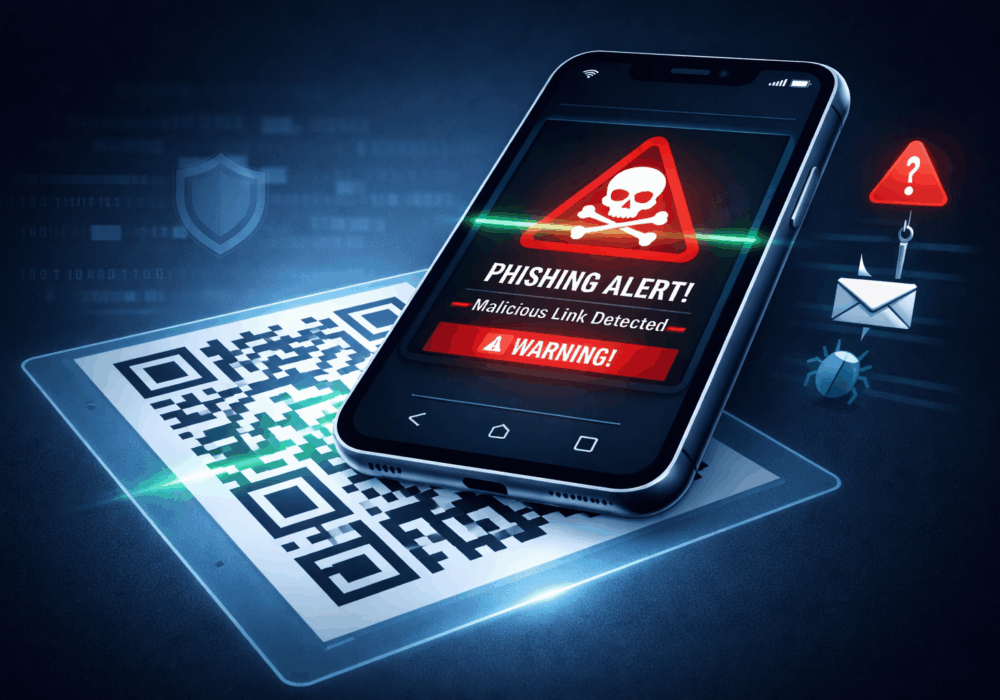
Remember 2020? We scanned QR codes for everything. Restaurant menus. Parking meters. That awkward moment at a wedding when someone wanted you to scan a code instead of signing a guestbook.
We got comfortable. Maybe too comfortable.
CyberHoot wrote about this threat way back in 2019. Others, like ProofPoint, wrote more as attacks increased in October 2023. ProofPoint noticed something sneaky happening. QR codes were showing up in phishing emails, pretending to be HR messages about payroll. Scan the code, get prompted for an then lose your password. Simple as that. Security folks warned everyone, wrote blog posts, and hoped people would catch on.
Fast forward to January 2026. The FBI just issued new warnings about North Korean hackers using QR codes to steal credentials and deliver malware. Why? Because they still work on some folks; just not you, not anymore!
Here’s the thing: when you scan a QR code in an email on your work computer, the attack jumps to your phone. And your phone? It probably has way less security than your laptop. No corporate firewall. No monitoring. Just you, your camera app, and a malicious website that looks totally legit.
This technique is sometimes called “Quishing” (QR + phishing), which is a terrible name but an effective attack.
The good news? You don’t need a massive security budget to defend against this. You just need everyone’s awareness and a few smart habits.
Pro Tip: Quick learner? Skip to the TLDR cheat sheet at the end, then come back for details as needed.
A QR code is just a hidden URL wearing a disguise.
If you wouldn’t click a random link in an email, don’t scan a random QR code either. Same risk. Same rules. This one mindset shift stops most QR attacks in there tracks dots and lines.
QR phishing works because we scan first, think second. Reverse that.
Before you point your camera at that little square, ask yourself:
Three seconds of asking smart questions is how safe cyber habits form!
You probably have antivirus software on your work computer. What about your phone?
Most QR codes get scanned on phones, not laptops. If your company offers mobile security software or device management, install it. If you’re on your own, consider a reputable mobile security app.
Your phone deserves the same protection as your computer, especially if you’re using it for work.
One of the simplest defenses: make your phone show you where a QR code leads before it opens anything.
Instructions For iPhones:
When you scan a QR code with the Camera app, iOS shows you a banner with the URL. Don’t tap it immediately. Press and hold the banner to preview the link first. Look at the domain. Does it make sense? Is it the company you expected?
You can also turn off “Live Text” in Settings > General > Language & Region. This prevents accidental QR scanning from screenshots or photos someone sends you.
For Android:
Most Android phones already show you the destination before opening. Make sure “Open supported links” is disabled in Chrome settings so nothing opens automatically. You want that extra moment to inspect.
Attackers love urgency. It shuts down your brain’s skepticism filter.
Common QR phishing themes include:
When you see urgency plus a QR code, that’s your cue to slow down, not speed up.
Need to reset your password? Update payment info? Change your MFA settings? Never scan a QR code for these actions.
Instead, open your browser, type the website address yourself, and log in the old-fashioned way. It takes 15 extra seconds. It also makes credential-stealing QR codes completely useless.
See that “[EXTERNAL]” tag at the top of some work emails? That’s your hint that this message came from outside your organization, essentially, from someone on the big bad internet.
When you see that banner plus a QR code, think twice before scanning. External emails with QR codes deserve extra skepticism. That little warning is there to help you. Use it.
Got an email with a QR code from someone you don’t recognize? From a company you don’t do business with? About a topic that seems random?
Trust your gut. Delete it.
Legitimate companies will not send important information via a QR code in an email. If it feels off, it probably is. When in doubt, contact the company directly through their official website or phone number—not through anything in that email.
If your company runs phishing simulations, don’t panic when you encounter one. These tests exist to help you recognize patterns and practice, not to embarrass anyone.
If you scan a simulated QR code by mistake, you just learned something valuable without real consequences. That’s exactly the point.
The goal is building your instincts so you can spot the real attacks when they arrive.
See something sketchy? Say something.
Most companies have a way to report suspicious emails. Use it. Every time you report a QR phishing attempt, you’re not just protecting yourself—you’re protecting everyone else on your team.
Don’t worry about being wrong. Security teams would rather check 100 false alarms than miss one real attack. Reporting suspicious emails is never a bother. It’s exactly what they want you to do.
QR codes aren’t going away. Neither are the attackers who use them.
But here’s the good news: you don’t need a security degree or expensive tools to protect yourself. You just need to slow down, ask questions, and trust your instincts.
The next time you get an email with a QR code, pause. Look at who sent it. Think about whether it makes sense. Preview the link before you scan.
That’s it. That’s the defense.
You’re smarter than these attacks give you credit for. Take those extra moments to prove it.
Pick one thing from this list and start doing it today.
Maybe it’s the “pause and ask” habit before scanning. Maybe it’s adjusting your phone settings to preview links first. Maybe it’s just becoming the person who actually reads that [EXTERNAL] banner.
You don’t need to do everything at once. One habit makes you safer today than you were yesterday.
And that’s worth hooting about.
Discover and share the latest cybersecurity trends, tips and best practices – alongside new threats to watch out for.
Author: Katie Boquetti | Editorial: Craig Taylor Editorial by Craig Taylor: I'm blessed to have...
Read more
Author: Katie Boquetti | Editorial: Craig Taylor Editorial by Craig Taylor: I remember the early days of...
Read more
Author: Katie Boquetti | Editorial: Craig Taylor Editorial by Craig Taylor: This week's blog has a...
Read moreGet sharper eyes on human risks, with the positive approach that beats traditional phish testing.