Author: Katie Boquetti | Editorial: Craig Taylor
Even before Claude Code made it easy for anyone to build their own software, extensions and utilities were multiplying fast. AI gave us “vibe coding,” where you describe an idea and your favorite AI tool builds it, whether a downloadable app, a browser extension, or something else entirely. That means more good software, and more malicious software dressed up as helpful. I’m excited about where this is heading. This week’s article covers some best practices for choosing what runs on your computer and in your browser. The more you know, the safer you’ll be. Happy Hooting, folks!
— Craig
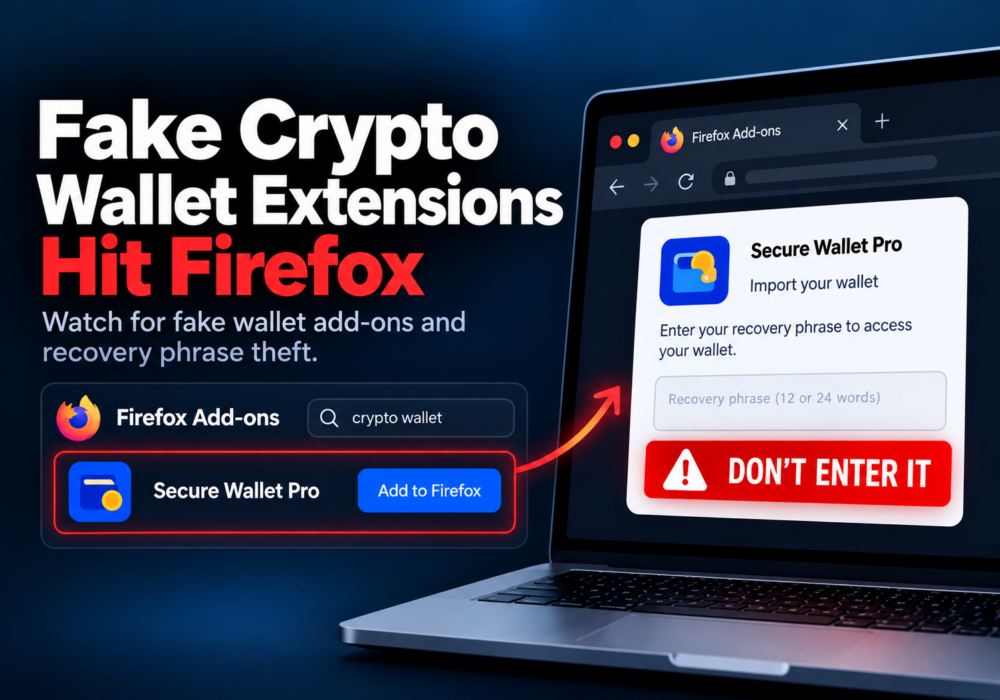
Somewhere in your browser sits an extension you installed for one coupon, one PDF, or one long-forgotten project. Most extensions do their job and stay quiet. In October 2026, researchers at Socket reported 16 Firefox extensions built to do the opposite. They posed as crypto wallets and helpful browser tools, and they stole the secret keys people use to access their money. The good news is a few simple habits keep you and your team out of this kind of trouble.
Socket researcher Joseph Edwards tracked a group of 16 malicious Firefox extensions. Four copied the look of Rabby Wallet, a legitimate crypto wallet. The rest copied OKX Wallet, another legitimate wallet. Several presented themselves as desktop utilities and browser tools with bland internal names.
When a person used one of these fake wallets to import an existing wallet, the extension asked for the recovery phrase or private key. Those two items act as the master password for a crypto wallet. The extension quietly sent them to servers run by the criminals.
Socket linked this group to an earlier wave of fake wallet extensions it reported in August 2026. The criminals kept changing names, version numbers, and descriptions, while reusing the same code and servers. All 16 extensions were removed from the Firefox add-on store by October 5, 2026.
Many small business teams do not run crypto wallets. The lesson still applies to everyone. A browser extension sits inside the same window where you check email, log in to payroll, and open your banking portal. A bad extension sees what you type and what you click. The crypto angle is one example of a much bigger habit worth building.
These extensions lived in the real Firefox add-on store. App stores remove bad extensions all the time, but criminals upload new ones faster than reviewers catch every one.
Your move: go to the official website of the wallet or tool first, and follow its link to the store. Do not search the store by name. Then check the publisher name, the number of users, and the reviews before you click Add.
Skip the sponsored results at the top of search pages too. Criminals buy ads using wallet brand names, so type the official web address yourself or use a bookmark.
A wallet recovery phrase is most often 12 to 24 words in length. A private key is a long string of letters and numbers. Anyone who has either one owns the wallet. Legitimate wallets never ask you to type your phrase into a pop-up, a support chat, or a “verification” page. These fake extensions stole phrases during wallet setup, where typing it feels normal and legitimate. That is why where you got the wallet matters most.
Your move: keep your recovery phrase written down and stored somewhere safe (think bank safe deposit box or fireproof safe), and only enter it when you set up a wallet you installed from the official source yourself. If you hold more crypto than you would be comfortable losing, consider a hardware wallet. It keeps your keys on a small physical device, so your recovery phrase never gets typed into a browser.
Every extension you add is one more piece of software with access to your browsing. Old, unused extensions add risk without adding value. Remember too that extensions update themselves in the background. A trusted extension sometimes changes owners or gets a bad update, and the new version keeps the same access as the old one.
Your move: check your browser’s extension page today. In Firefox, type about:addons in the address bar. In Chrome or Edge, open the menu and choose Extensions. Remove anything you do not recognize or have not used in the last month. Clearing out even two or three feels great.
Extensions ask for permissions when you install them. In Firefox, a coupon tool asking to “Access your data for all websites” wants a lot more than coupons. Chrome and Edge word the same request as “Read and change all your data on all websites.”
Your move: read the permission request before you click Add. If the request seems bigger than the job, skip the extension or look for a simpler one. Wallets are the exception, since they need broad access to work. For wallets, Lesson One is your best defense.
If you installed a fake wallet extension and typed in a real recovery phrase or private key, assume someone else has it now. Attackers often drain wallets within minutes, so move immediately to protect yourself.
Your move: Compare your extensions to the list in Socket’s report. If you find a match, remove the extension, set up a brand new wallet, with a new recovery phrase, on a clean computer or phone, and transfer your funds to it right away. Then tell your IT person or provider so they check the device. Taking fast action here might save your investments from being stolen.
You do not need to read code or audit every add-on to stay safe. You need a few good habits: install from official sources, limit permissions, remove unused extensions, and keep recovery phrases safe, protected, and offline. Pick one habit and start today. Every extension you remove is one less thing to worry about. If you want help turning habits like these into routine for your whole team, CyberHoot offers short, upbeat training videos and positive phishing simulations that teach you cyber literacy skills you use every day. Start small, celebrate progress, and keep going.
Laugh, learn, and Hoot Up!
What is a browser extension?
A browser extension is a small add-on which gives your browser extra features, such as ad blocking, password filling, grammar checks, or coupon finding. Extensions run inside your browser, so they often see the pages you visit and the information you type.
What is a crypto wallet recovery phrase?
A recovery phrase, or seed phrase, is a list of 12 to 24 words which restores a crypto wallet. A private key is a long string of letters and numbers. Anyone with either one owns the wallet and everything in it. Keep both offline.
How do I check which extensions I have installed?
In Firefox, type about:addons in the address bar. In Chrome, type chrome://extensions. In Edge, type edge://extensions. Review the list and remove anything you do not recognize or no longer use.
I installed one of these fake wallet extensions. What should I do now?
Remove the extension right away. If you entered a real recovery phrase or private key, create a new wallet on a clean device and move your funds to it as soon as possible. Then let your IT person or provider know so they check your computer.
Does my small business need expensive tools to manage browser extensions?
No. Firefox, Chrome, and Edge all include free policy settings which let a business allow only approved extensions. Pair those settings with a short approved list and a quick team cleanup, and you cover most of the risk without new software.
The Hacker News: 16 Malicious Firefox Extensions Pose as Rabby and OKX Wallets to Steal Recovery Phrases
Socket.dev: 16 Malicious Firefox Extensions Steal Cryptocurrency Wallet Credentials by Joseph Edwards, October 7, 2026
Discover and share the latest cybersecurity trends, tips and best practices – alongside new threats to watch out for.
Author: Katie Boquetti | Editorial: Craig Taylor Editorial by Craig Taylor: Even before Claude Code made...
Read more
Author: Katie Boquetti | Editorial: Craig Taylor Editorial by Craig Taylor: We've known for a while here...
Read more
Author: Katie Boquetti | Editorial: Craig Taylor Editorial by Craig Taylor: A CAPTCHA should test whether...
Read moreGet sharper eyes on human risks, with the positive approach that beats traditional phish testing.

