Researchers went looking for a fake photo upscaler and found something stranger: a ransomware kit an AI model helped design without anyone teaching it how. No skilled coder sat down and wrote this attack line by line. Instead, an AI chatbot pieced most of it together from a single broad request, and in the end, part of it worked exactly as intended by whoever asked.
This story fits a bigger pattern facing society and keeping security professionals up at night. AI tools are changing what cyber attacks look like, how damaging they are, and who can build them. People with no coding background now type a request into a chatbot and walk away with working malware! The fortunate thing is this, delivery and execution remain the same for these attacks as before. Your educated cybersecurity habits remain the best defense against these emerging AI threats we all face.
The malicious website tool was called InfernoGrabber. On the surface, it posed as a Discord avatar upscaler, a small utility people often install without much thought. Underneath the friendly looking icon sat a program built to steal Discord logins, credit card numbers, crypto recovery phrases, keystrokes, and webcam footage. Meanwhile, Periksa Titik Penyelidikan found this sample while reviewing files linked to the AI model DeepSeek, and in the process, flagged well over a thousand similar malicious files in the same batch. CyberHoot included a 2026 training video on similar attack vectors – malicious browser extensions. These are emerging AI-powered threats we all need to be aware of.
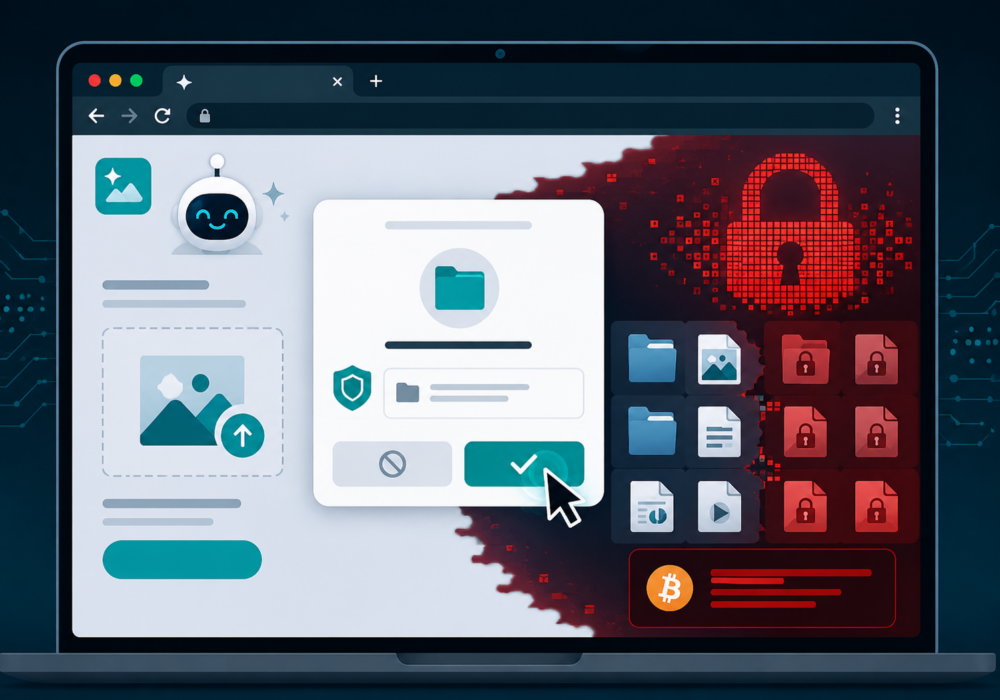
Here is the part worth understanding. Deep inside the malware sat a fresh technique: file locking ransomware running straight inside a browser, with no download and no install required! We now have our first documented example of an attack that, until now, wasthought to be impossible to accomplish by most security experts.
The trick uses a real browser feature called the File System Access API. Normally, legitimate tools such as photo editors and document apps use this feature to ask for permission to open a folder on your device. Here, though, the attackers built a fake AI photo upscaler around the same feature. First, a person picks a photo, chooses a folder for the finished result, and approves a permission prompt that feels routine in the moment. Once approved, the page then reads the files in that folder, copies them out, locks the originals, and finally shows a ransom note demanding payment in Bitcoin.
Check Point tested the technique on Windows, macOS, Linux, and Android, plus Microsoft Edge, and it worked in every case except one. Specifically, Apple’s Safari does not offer the same folder access feature, so iPhone users sit outside this particular risk.
Android carries added risk here. For example, recent versions of Chrome for Android allow websites to request access to camera roll folders such as DCIM, where phones store photos, screenshots, and scanned documents. As a result, a folder full of personal photos and banking screenshots turns into an appealing target the moment a website gains write access to it.
The unsettling part isn’t the malware itself. After all, plenty of information stealing kits already circulate online. Rather, the unsettling part is how this one got built. According to Check Point’s researchers, the AI model connected a fictional ransomware idea with a real browser feature on its own, starting from one broad prompt. Notably, no manual coding and no browser expertise were required on the human side. The implication here is significant: the bar has been lowered for anyone curious enough to try and write ransomware. One caveat is worth mentioned here. This malware was created on the DeepSeek AI frontier model. CyberHoot believes US-based frontier models have critical guardrails to prevent this from being possible, even with purposeful prompts.
You don’t need a security degree to stay ahead of this one. Small habits, like pausing before granting folder access and keeping backups current, stop most attacks like this before they start. Pick one habit from this list and put it into practice today. Progress beats perfection every time, and reading this already puts you a step ahead of where you were yesterday.
Temui dan kongsi trend keselamatan siber terkini, petua dan amalan terbaik – di samping ancaman baharu yang perlu diberi perhatian.
Para penyelidik telah mencari penaiktaraf foto palsu dan menemui sesuatu yang lebih pelik: kit ransomware dan model AI...
Maklumat Lanjut
Selama empat tahun, CyberHoot telah berhujah perkara yang sama di blognya: kata laluan adalah kelemahan utama. Ia digunakan semula,...
Maklumat Lanjut
Piala Dunia FIFA 2026 bermula pada 11 Jun di seluruh Amerika Syarikat, Kanada dan Mexico. Enam juta peminat...
Maklumat LanjutDapatkan pandangan yang lebih tajam tentang risiko manusia, dengan pendekatan positif yang mengatasi ujian phish tradisional.

